IT and Cybersecurity Basics for Veteran-Owned Small Businesses
When one person is the owner, the manager, the salesperson, and the person who also resets the printer, IT tends to get handled whenever something breaks. That is understandable. But a handful of basics, set up once, can prevent most of the avoidable trouble. This guide is written with veteran-owned small businesses in mind, though the advice is general and fits any lean, owner-operated business.
Own your accounts
The most common quiet risk is that someone else controls a key account. A web designer registered the domain in their own name. A former employee created the email system. An IT helper set up the cloud storage under a personal login.
Make sure your business owns the important ones:
- Your domain name and where it is registered.
- Your email and productivity platform admin account.
- Your website hosting and any online store.
- Your bank, payroll, and accounting software.
- Your internet service provider account.
Each should be registered to a business email address you control, and at least one trusted person besides you should know how to recover it in an emergency.
Protect sign-ins
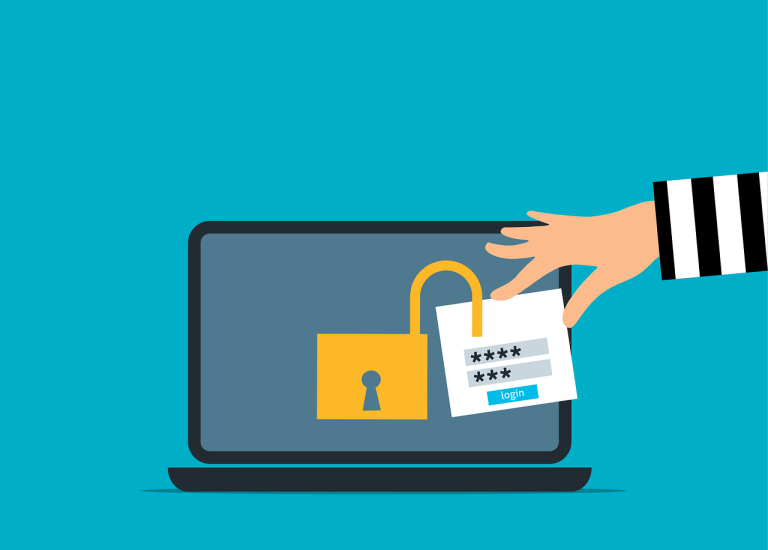
Stolen or guessed passwords are behind many small business break-ins. Three habits make a large difference.
- Turn on multi-factor authentication (a second step, such as a code on your phone) for email, banking, and anything that holds customer data. Start with email, because it can be used to reset everything else.
- Use a password manager so every account has a long, unique password and nobody reuses one.
- Remove access promptly when someone leaves or a contractor finishes. Old accounts are easy to forget and easy to abuse.
Back up what you cannot replace
A backup is only useful if it works when you need it. Think about the files you could not rebuild: customer records, quotes, contracts, photos, accounting data.
- Keep copies somewhere other than the computer itself.
- Prefer an automatic schedule over remembering to do it by hand.
- Ask whether a copy is protected so that ransomware cannot change or delete it.
- Test a restore now and then. Pull back one file and confirm it opens.
A backup you have never tested is a hope, not a plan. You can read more about backup and disaster recovery if you want to see what a managed approach looks like.
Keep a simple device list
You cannot protect what you do not know you have. A basic spreadsheet is enough. For each computer, phone, tablet, printer, router, and camera, record:
- What it is and who uses it.
- Where it lives.
- When it was bought and when it is due for replacement.
- Whether it still receives security updates.
Old equipment that no longer gets updates is a common weak spot, and the list makes it easy to spot. It also helps when you budget for replacements instead of facing a surprise.
Write one page of documentation
If you were out sick or unreachable for a week, could someone else keep the business running? A single page can cover the essentials: where the important accounts are, how to reach your internet provider, where backups live, and who can approve changes.
Do not put full passwords on that page. Note where they are stored, such as in the password manager, and who holds the recovery access. Keep the page somewhere safe, and keep a printed copy with a trusted person.
Know who to call
Decide ahead of time who you contact for what: a person for everyday problems, a person for security trouble, your internet provider, and your cyber insurance contact if you have a policy. Write the numbers on your one-page document. During an incident, you do not want to be searching for a phone number while the clock is ticking.
Where veteran-owned small businesses should start
If the list feels long, begin with two things: turn on multi-factor authentication for your email, and confirm that you personally own your domain and email admin account. Those two steps address some of the most common problems. Then work through backups, the device list, and the one-page document at a pace that fits your week.
If you would like an outside view of where you stand, Zippie IT, a veteran-owned small business in Meridian, Idaho, offers a free security review that looks at who can get into your systems, how accounts and passwords are protected, whether software is kept up to date, backups, and network and Wi-Fi security. You get a written report and a call to go over it, with no obligation. Call (208) 810-1795 or email info@zippieit.com.