How to Stop Scammers from Sending Emails in Your Company’s Name
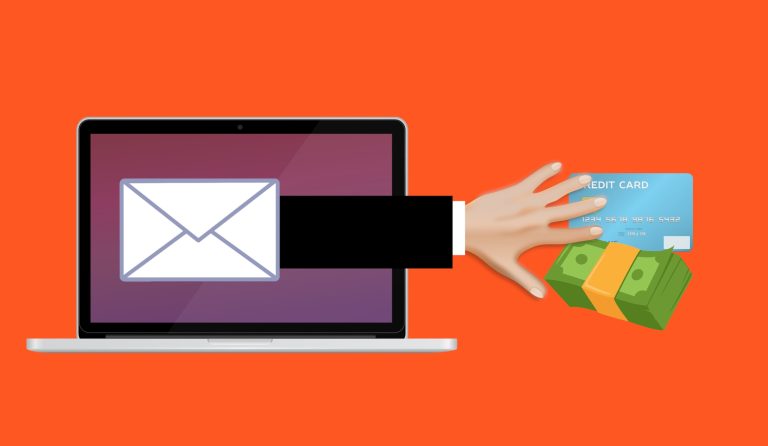
Email was designed without a way to prove who sent a message. Anyone can type your company’s address into the “From” line, and without protections on your domain, receiving servers have little basis for rejecting it. Customers then receive fake invoices and requests that appear to come from you, and your reputation takes the hit. Here is how to stop scammers from doing it.
Three DNS records fix most of this. They are called SPF, DKIM and DMARC, and they are not as complicated as the names suggest.
The three records, in plain English
SPF (Sender Policy Framework) is a public list of the servers that are allowed to send email for your domain. A receiving server checks whether the message came from one of them.
DKIM (DomainKeys Identified Mail) adds a digital signature to each outgoing message. The receiving server uses a public key in your DNS to confirm that the message really came from your domain and was not changed on the way.
DMARC (Domain-based Message Authentication, Reporting and Conformance) ties the two together. It tells receiving servers what to do when a message claims to be from your domain but fails SPF and DKIM: do nothing, put it in spam, or reject it. It also sends you reports on who is sending email as your domain.
The DMARC setting most businesses get wrong
DMARC has three policies. “None” only watches and reports. “Quarantine” sends failing messages to spam. “Reject” blocks them. Many businesses add DMARC with the policy set to “none,” see no problems, and stop. A policy of “none” does not stop spoofing at all. It only gives you reports.
The right way is to start with “none,” read the reports for a few weeks to find every legitimate service that sends email for you, such as your email platform, a billing system, a newsletter tool and a website contact form, and fix each of them. Then move to “quarantine,” and finally to “reject.”
What these records do not stop
They protect your exact domain from being used in the “From” address. They do not stop:
- Lookalike domains, such as a name with one letter changed, which the scammer registers and sets up properly.
- Compromised accounts, where a real mailbox of yours is taken over and sends real messages.
- Display name tricks, where the visible name says “Your Boss” but the address is something else.
So they are one layer. Pair them with multi-factor authentication to protect your real accounts, and with training for staff and customers on checking requests. See our posts on spotting scam emails and deepfake voice scams.
Why this matters even if you do not send much email
You do not have to run newsletters for scammers to use your name. They send from your domain precisely because you do not watch it. Large mailbox providers have also tightened their rules. Google and Yahoo began requiring authentication such as SPF, DKIM and DMARC from bulk senders in 2024, and Microsoft’s Outlook.com began applying similar requirements to high-volume senders in May 2025. Those rules are aimed at senders of more than 5,000 messages a day, but the direction is clear: unauthenticated email is increasingly treated as suspect, and the same records help your ordinary email arrive in inboxes.
How to stop scammers: set it up safely
- Find out who sends email as your domain. Your email platform, plus every other service: invoicing, marketing, a website, a phone or ticketing system.
- Publish SPF listing those senders, with only one SPF record per domain.
- Turn on DKIM in each sending service and publish the keys it gives you.
- Publish DMARC with a policy of “none” and a mailbox for reports.
- Read the reports for a few weeks, fix senders that fail, and then tighten the policy to quarantine and then to reject.
- Recheck whenever you add a new service that sends email.
A mistake can block your own legitimate mail, which is why the gradual approach matters. The records are added where your domain’s DNS is managed, which might be your registrar, your website host or your email provider. Our Microsoft 365 support covers email setup and spam and phishing filtering, and our cybersecurity services cover email protection. Contact us if you would like help checking how your domain is set up.
Frequently asked questions
What is email spoofing?
Sending an email that appears to come from someone else’s address. Without SPF, DKIM and DMARC, it is easy to spoof a domain, and nothing stops the message from reaching an inbox.
What are SPF, DKIM and DMARC in simple terms?
SPF lists who may send email for your domain, DKIM signs each message to show it is genuine, and DMARC tells receivers what to do when a message fails those checks and sends you reports.
Does DMARC stop all email impersonation?
No. It protects your exact domain. Lookalike domains, hijacked real accounts and display name tricks still need other defenses.
Will setting up DMARC block my own emails?
It can if a legitimate sender is missed. That is why you begin with a monitoring policy, review the reports, and tighten gradually.
Do I need these records if I do not send many emails?
Yes. Scammers can use your domain whether or not you send much, and the records also help your genuine email avoid spam folders.