How to Protect Your Business Social Media Accounts from Hackers
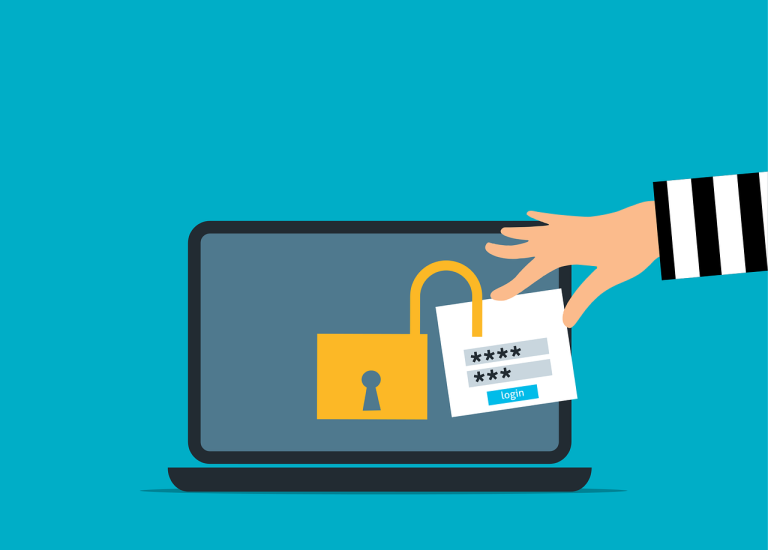
For many small businesses, a Facebook page, a LinkedIn company page or an Instagram account is the first place customers look. A hijacked account can post scams in your name, ask your followers for money or lock you out of your own audience. Most fixes for business social media accounts are simple, and most of them are about who has access and how they sign in.
Make a list of all your business social media accounts
Write down every social media and business profile: Facebook, Instagram, LinkedIn, X, YouTube, TikTok, Google Business Profile, review sites and any others. For each one, note who created it, which email address it uses and who can manage it. Accounts created years ago by a former employee or an agency are common, and they are often the ones nobody remembers until they are hacked.
Keep ownership under the business’s control
The business, not an individual, should control each account. That means:
- Create and recover accounts with an email address the business owns, ideally a shared role address that more than one trusted person can read.
- Do not tie a business page to one person’s personal profile only. Make sure at least two trusted people have full administrative roles.
- If an agency or freelancer manages your accounts, make sure you remain an owner so that you can remove them later.
Give each person their own access
Most platforms let you add people to a business page with their own sign-in and a role. Use that, rather than sharing one login. CISA’s guidance on protecting organization-run social media accounts recommends that each person use unique credentials and that you limit how many people hold administrative control. See our post on why shared logins are a risk.
Match each person’s access to their work
Someone who posts updates does not need to manage billing, change roles or delete the page. Give each person the lowest role that lets them do their job, and review the list regularly, especially when people leave.
Require MFA for everyone with access
Turn on multi-factor authentication for every account, and prefer an authenticator app or a security key to text messages. CISA’s guide favors physical security keys or authenticator apps and advises avoiding text message codes where better options exist. The major platforms, including Facebook, LinkedIn and X, support authenticator apps.
Protect the email account used for recovery
If an attacker controls the email address that is tied to a social media account, they can reset the password and take it over. Secure that mailbox as carefully as the account itself: a long, unique password and strong multi-factor authentication. Our post on how hackers keep access to your email explains what to check.
Watch for fake warnings and support messages
Account takeovers often begin with a message that looks official: “Your page will be deleted,” “A copyright complaint was filed,” “Verify your account to keep your badge.” The goal is to get you to click a link to a fake sign-in page. Staff should know that:
- Real platforms rarely demand action within hours.
- Links should never be used to sign in. Go to the platform’s website or app directly.
- Anyone claiming to be support who contacts you first, especially by direct message, is suspicious.
Our post on spotting scam emails covers the signs.
Review connected apps and scheduling tools
Many accounts are connected to scheduling tools, analytics, forms and automations. Each one holds a permission or a token to act on the account, and a compromised token can let someone post without a password. Remove tools you no longer use, and review what each one can do. CISA also recommends limiting third-party access and protecting keys and tokens.
Have a plan for when something goes wrong
- Report it immediately to your administrators and the platform, using its official recovery process.
- Secure the connected email account and change passwords from a trusted device.
- Remove unknown administrators and connected apps, and sign out all sessions.
- Post a notice on other channels to warn customers about any fake posts or messages.
- Check for related fraud, such as scam ads running on your account, and save screenshots as evidence.
Keep a one-page note with the recovery steps and the people who can act, so that you are not searching for it during the emergency.
Write down a simple policy
A short document covers who may post, who manages accounts, how access is removed when someone leaves, what the sign-in rules are and what to do if something looks wrong. It takes an hour and prevents most of the problems above.
Our Microsoft 365 support covers multi-factor authentication and access policies for your business accounts, our cybersecurity services cover email protection and strong sign-in protection, and you can contact us for help setting up secure access. A free security review looks at who can get into your accounts and how passwords are protected.
Frequently asked questions
How do business social media accounts get hacked?
Mostly through stolen or reused passwords, fake sign-in pages that look like platform warnings, takeover of the recovery email and risky connected apps. MFA and careful access reduce all of them.
Who should own our business accounts?
The business, using a business-controlled email address, with at least two trusted administrators. Do not rely on one employee’s personal profile or an agency’s account.
Should staff share the login for our page?
No. Add each person with their own login and role, so you can see who did what and remove access when someone leaves.
What is the best kind of MFA for social media accounts?
A security key or an authenticator app. Text message codes are better than nothing, but weaker.
What should we do if our account is hacked?
Use the platform’s official recovery process right away, secure the connected email account, remove unknown admins and apps, warn customers and keep evidence.